
What to Consider Before Buying a Smartphone

Start with the way you use your phone each day; a smartphone buying guide should fit your routines, budget, and plans. The right choice should make daily tasks easier, not just look impressive on a spec sheet.
Variable refresh rate is a display feature that changes how often the screen refreshes, balancing smoother motion with power use. Think about how many years you expect to keep the phone, since that can affect what feels worth paying for.
Software support, screen comfort, storage, camera tools, battery life, and purchase terms all shape your experience. A phone with great features can still be a poor fit if it runs out of space or stops receiving updates too soon.
Start by naming the things you do most, such as messaging, taking photos, watching shows, or using work apps. Your budget and expected years of use can then help narrow the field.
A short list of must-haves gives you a clear way to compare phones. It also makes it easier to ignore features you are unlikely to use.
What Should a Smartphone Buying Guide Compare First?
A phone for frequent photos and video calls needs different strengths from one used mostly for messages, maps, and web browsing. Your daily tasks give you the best starting point, and the features you use most should guide your first choices.
Gaming, streaming, and work apps can also shape your experience. A top 10 best phones list cannot fit every budget, while a top 3 best phones shortlist can show useful options for different needs.

Match the phone to your daily tasks
Frequent video calls make a good front camera and steady connection useful. If you take many photos, consider the rear cameras and space for image files.
Games and work apps may need more speed than basic messaging or web browsing. Streaming shows can make screen size and battery life more important.
A simple three-way shortlist can help you compare different priorities. The Apple iPhone 17 suits someone who wants iOS, while the Google Pixel 10A is a lower-cost Android option.
The Samsung Galaxy S26 Ultra offers a premium Android feature set. These are starting points, not a ranking that fits every buyer.
Set priorities before comparing features
Separate essential features from nice-to-haves before comparing phones. A bright screen may matter every day, while a specialized camera mode may rarely change how you use the phone.
Cross off any feature that would add cost but rarely change your daily experience.
Use this five-point checklist to answer what to look for in a phone:
- Set a budget.
- Choose an operating system.
- Check update support.
- Prioritize the features you use most.
- Confirm carrier compatibility.
A buying guide works best when it helps you compare the options that match your real routine. Keep your must-haves visible while you shop.
Should You Choose iOS or Android?
If you already rely on an Apple Watch, choosing an iPhone keeps that device compatible. Existing devices can make the choice easier, and 83.8% of iPhone users had stayed with Apple for more than five years.
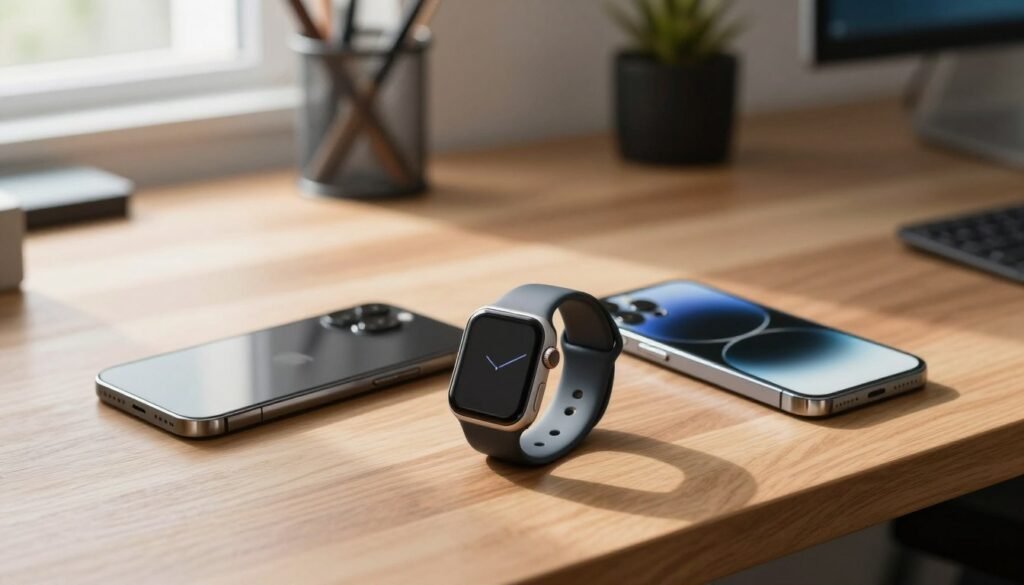
By comparison, 33.8% of Android users had stayed with Android for more than five years. More than five years of loyalty shows a habit, not proof that one operating system is best for everyone.
iOS is a natural fit if you use Apple devices and services. The Apple Watch requires an iPhone, so an Android phone cannot serve as its paired phone.
Android gives you more brands, designs, and ways to customize your phone. Samsung Galaxy and Google Pixel phones are two common Android options.
Both systems have app stores: the App Store for iOS and the Google Play Store for Android. Check that the apps you need work on your chosen operating system.
A Samsung smartphone buying guide should consider the apps and devices you already use, not just the phone brand. Brand loyalty can reflect comfort and habit, but it does not settle which system suits your needs.
Check that the apps and connected devices you depend on are available for the operating system you choose.
Which Screen, Storage, and Performance Specs Matter?
A large display is useful for video and reading only if its size still feels comfortable in your hand. Comfort comes first, and a bigger screen can feel awkward to hold.
Compare screen size, resolution, brightness, and refresh rate. Try a model in a store if you can, since numbers alone cannot tell you how it feels in your hand.
Choose a screen you can comfortably use
Resolution affects how sharp text and images look, while brightness matters outdoors. Variable refresh rate lets the display change its refresh rate to balance smoother motion and power use.
The iPhone 17 has a 1-120Hz variable-refresh-rate display. The Samsung Galaxy A17 5G has a 6.7-inch AMOLED display with a 90Hz refresh rate.
The Google Pixel 10A has a 6.3-inch display with a 60-120Hz variable refresh rate. A large phone can be harder to manage one-handed, even when its screen looks appealing.
Balance storage and speed with your workload
Photos, video, games, and offline media use storage quickly. Some Android phones support microSD cards, but not all phones offer expandable storage.
The Galaxy A17 5G has 4GB of RAM and 128GB of storage, plus microSD expansion. The Moto G Stylus (2025) also supports microSD storage expansion.
Demanding games and heavy multitasking benefit from a stronger processor and more memory. Facial recognition unlocks a phone by scanning your face; a fingerprint sensor reads your finger instead.
The iPhone 17 starts with 256GB of storage, while the iPhone 18 Pro Max weighs 249 grams. Leave room for new apps, photos, and operating-system updates, not just today’s files.
What Makes a Phone Camera Useful for Your Photos?
A high megapixel count can capture detail, but it does not by itself guarantee better photos. Lens choice and camera software matter too, and each camera type serves a different purpose.
A wide camera handles everyday shots, while an ultrawide lens fits more of a landscape or group into one frame. A telephoto camera brings distant subjects closer without relying only on digital zoom.
The iPhone 17 has a 48-megapixel ultrawide camera, compared with 12 megapixels on the iPhone 16. That change alone does not show which phone takes better photos.
Camera software affects low-light shots and images taken with a shaky hand. Compare real samples, since color, focus, and detail can differ between models.
Use this checklist before choosing a camera:
- Check for the lens types you need.
- Compare sample photos in daylight and low light.
- Look at image stabilization.
- Consider your video needs.
- Check for useful camera app controls.
Choose camera features around the subjects you actually shoot, such as landscapes, portraits, or distant action.
How Can You Judge Battery Life in Real Use?
A battery-life result is most useful when the test conditions resemble how you use your phone. Test setup matters, and equal conditions make phone results easier to compare.
One test used default settings, 200-nit brightness, and locally streamed muted video until each phone shut down. The table shows its average runtimes in minutes.
Compare battery tests on equal terms
| Phone | Average runtime in minutes | Test setup |
|---|---|---|
| OnePlus 15 | 1,779 | Locally streamed muted video at 200 nits |
| Samsung Galaxy S26 Ultra | 1,725 | Locally streamed muted video at 200 nits |
| iPhone 17 Pro Max | 1,561 | Locally streamed muted video at 200 nits |
| Google Pixel 10A | 1,402 | Locally streamed muted video at 200 nits |
| iPhone 17 | 1,265 | Locally streamed muted video at 200 nits |
The OnePlus 15 averaged 1,779 minutes, and the iPhone 17 averaged 1,265 minutes. Phones with 5,000mAh batteries lasted 14-28 hours in this test.
Test conditions help make results comparable, but they cannot predict every person’s day. A three-hour streaming test left the iPhone 17 at 89% and the iPhone 16 at 86%.
Apple says the iPhone 17 offers up to eight more hours of video playback than the iPhone 16. The iPhone 18 Pro Max added 77% battery charge in 30 minutes.
Check battery health and reduce avoidable drain
Battery capacity and runtime are different: capacity measures how much charge a battery can hold, while runtime measures how long it lasts. Charging speed tells you how quickly power returns.
High brightness, background apps, constant syncing, weak cellular reception, GPS, and outdated software can increase battery drain. On iOS 17 or later, find iPhone battery health under Settings → Battery → Battery Health & Charging.
iPhone 14-series and earlier batteries are designed to retain roughly 80% of their original capacity after 500 full cycles under ideal conditions. iPhone 15 models are expected to reach that level after about 1,000 cycles.
If an iPhone’s maximum capacity is below 80%, consider a battery replacement before replacing the whole phone.
How Long Will Software Support and Phone Use Last?
A phone’s useful lifespan depends on both its update window and whether its battery and performance still meet your needs. Update support helps keep a phone secure, while replacement age shows when people choose to upgrade.
Support length and actual replacement timing are different measures. Samsung offers up to seven years of support for flagship phones, about five to six years for mid-range phones, and up to four years for budget phones.
Samsung Galaxy update end dates vary by model. The Galaxy S23 series is scheduled to receive Android updates through February 2027; the Galaxy A06 5G through February 2031.
The Galaxy A15 is scheduled through December 2027, the A24 through May 2027, and the A34 and A54 5G through March 2027. Android updates for the Galaxy A06 4G ended in August 2026.
Google’s Pixel 11 Pro XL offers up to seven years of Android updates and lasted up to two days on a charge in testing. The Moto G Stylus (2025) gets two years of software updates and three years of security updates.
U.S. phone age at trade-in or upgrade rose from 3.16 years in 2020 to 3.64 years in 2024. The average reached 3.84 years in the first three quarters of 2025.
In 2024, the average was 3.67 years for iPhones and 3.52 years for Android phones. These figures describe replacement habits, not the point when every phone stops working.
For a used iPhone, avoid any model that no longer receives security updates. Before you buy, use this short checklist:
- Confirm the remaining security updates.
- Inspect battery health.
- Check that essential apps still support its operating system.
Before buying an older used model, verify that it still receives security updates and can run the apps you rely on.
How Much Should You Spend, and What Should You Check Before Buying?
A lower purchase price can be a better fit than a flagship if it covers the features you will use and the support period you need. Value means fit, and phones under $600 can perform well.
Premium phones can cost $1,000 or more. These options show how prices and features vary by budget:
| Model | Price | Useful distinction |
|---|---|---|
| Samsung Galaxy A17 5G | $249 at Amazon | Six years of software and security support |
| Google Pixel 10A | $499 | Camera and consistent Android updates |
| iPhone 17E | $599 at Apple or $699 at Best Buy | 256GB base storage |
| Samsung Galaxy S26 | $900 | 25W wired charging |
| Apple iPhone 17 | $929 or $899 with carrier activation | 256GB base storage and 1-120Hz display |
The Samsung Galaxy S26 Ultra starts at $1,300 and has a long-lasting battery and built-in Privacy Display, but no magnetic wireless charging. The Galaxy Z Fold 8 starts at $1,900, lacks a telephoto lens, and has no built-in magnets for Qi2 charging.
The iPhone 18 Pro starts at $1,199, and the iPhone 18 Pro Max starts at $1,299. For a 2026 shortlist, compare phones by budget and use, not a single overall rank.
The Google Pixel 11 costs $899 and includes a telephoto camera and 120Hz display. The Pixel 10A pairs its camera with consistent Android software updates.
A locked phone is tied to a carrier, while an unlocked phone may work across more than one carrier. An unlocked phone may not support every network, and coverage varies by location.
Before paying, confirm the exact model works on your carrier’s network and check the full cost of any financing offer.
Financing and prepaid plans have different terms, so compare the full cost rather than just the monthly payment. Used phones have had a prior owner; refurbished phones are inspected, tested, and restored.
Before paying, confirm the exact model works on your carrier’s network and check the full cost of any financing offer.
Conclusion
A good choice is the phone that meets your daily needs without making you pay for features you will rarely use. Your best fit balances budget, operating system, the features you use most, and a realistic update support window.
Keep your must-have list short and specific, such as a camera you trust or enough space for work files. That makes trade-offs easier to spot when two models look similar.
For your final comparison, check how each model fits your routine and how long you expect to keep it. Network compatibility matters too, even when a phone has all the right features.
Put your two strongest options side by side, confirm network compatibility, and choose the one that fits your budget and expected years of use.